
How it works
From “going out tonight?” to walking in together.
clubR shows you what’s on and matches you with people going there, so you walk in with your people. Your RSVP stays private until you match.
You RSVP · only you can see this
GoingMarquee
Clubbing · Tonight 10pm
You swipe · same place first
120 people going. You won’t know who until you match.
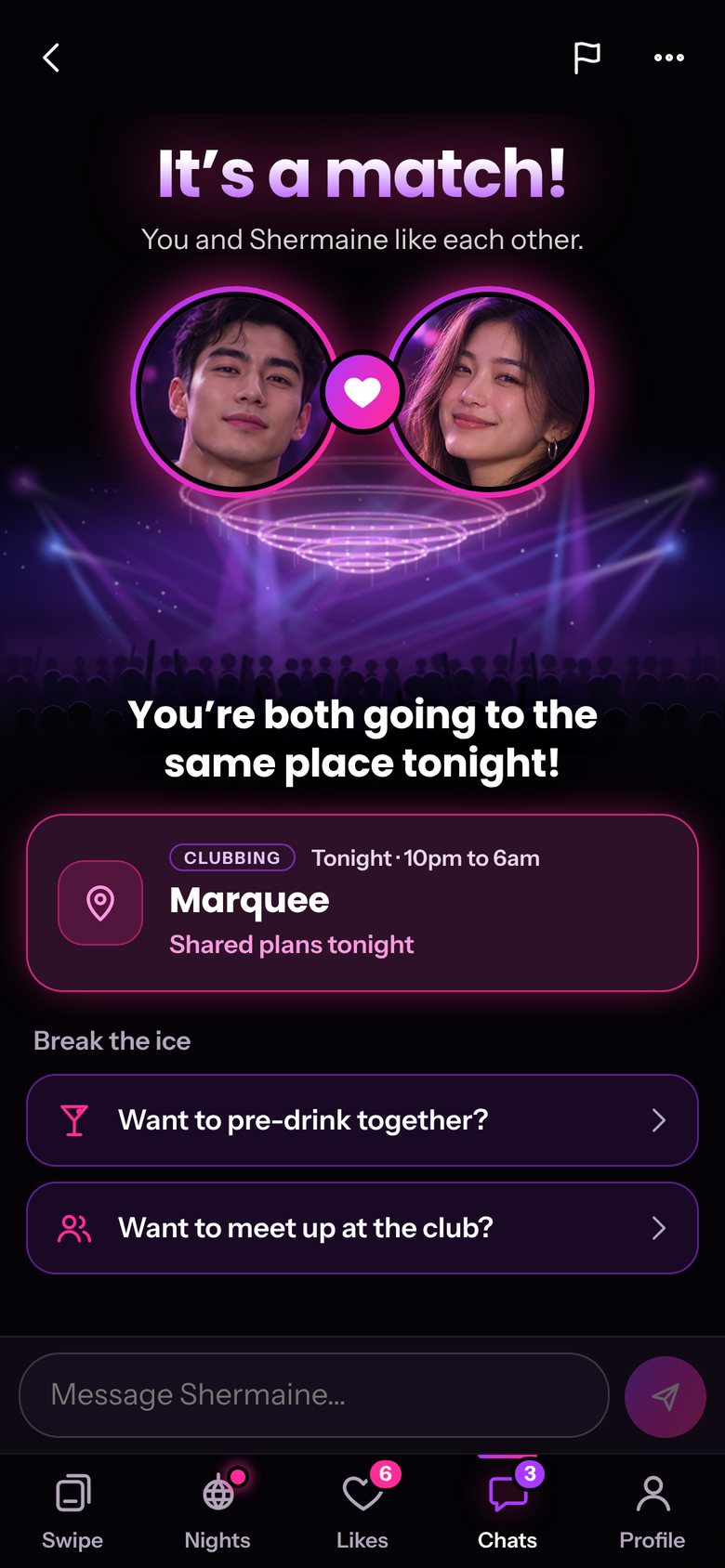
It’s a match
You and Shermaine are both going to Marquee tonight!
Pre-drinks at Lau Pa Sat first?
Step 1
Sign up in a minute
Use your email or Google. clubR is for adults aged 18 and over.

Step 2
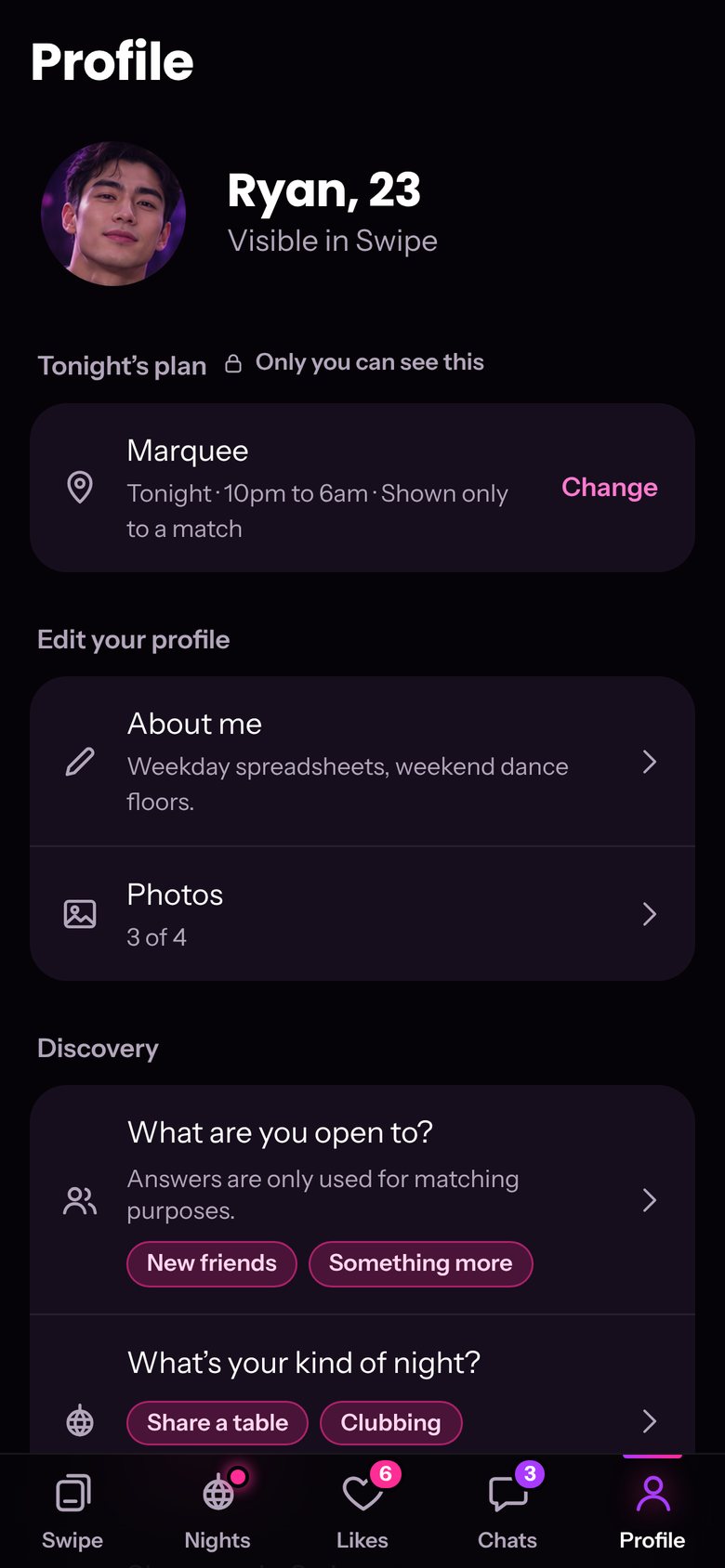
Set up your profile
Add photos, a short bio and your kind of night. What you’re open to, new friends or something more, is only used for matching. Nobody sees your answers.
Step 3
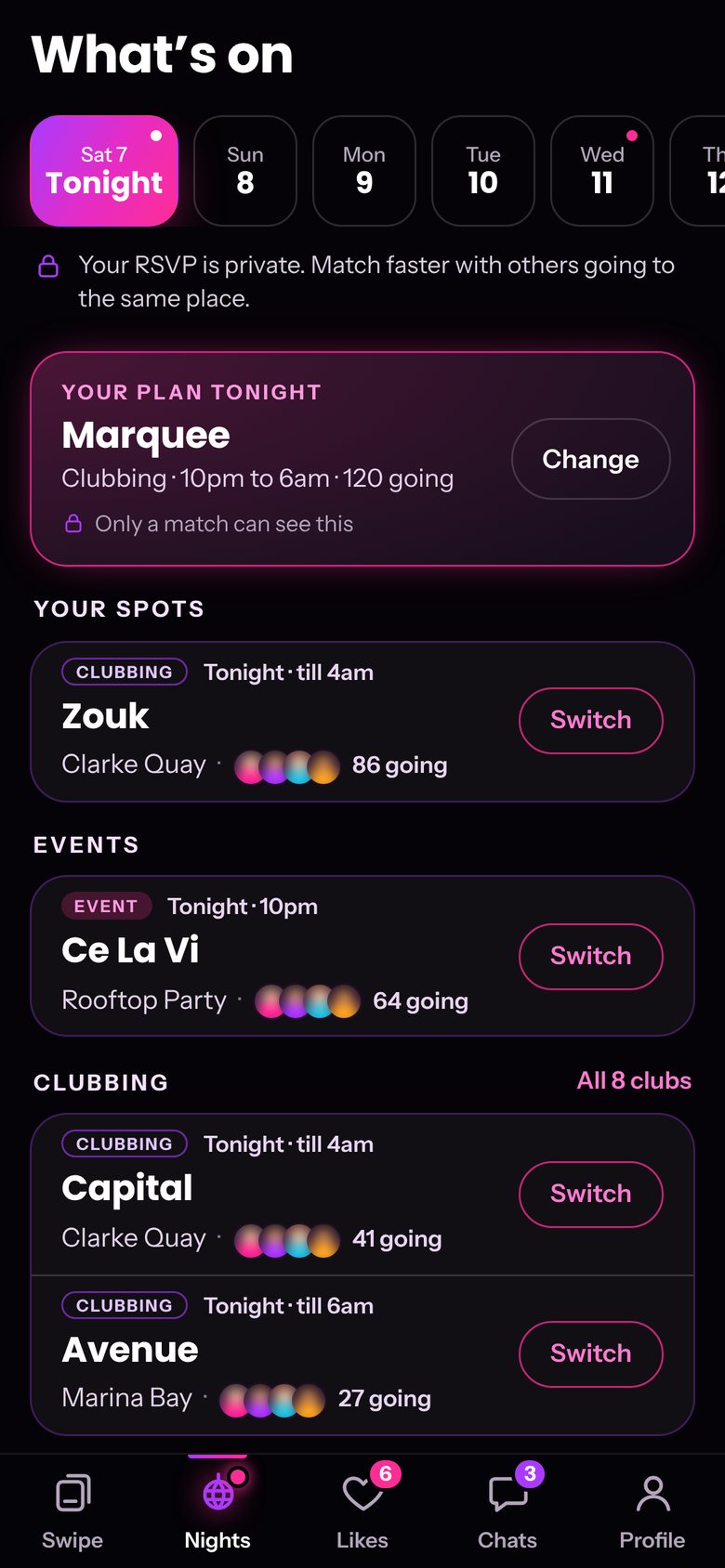
Make a plan
The Nights tab shows the clubs open each night and the events on, a week ahead. Tap a club for its address, hours and Instagram. RSVP to one place a night, and if plans change, Switch swaps it in one tap. No plan yet? Pick “Going out, not sure where”. Your RSVP is private.
Step 4
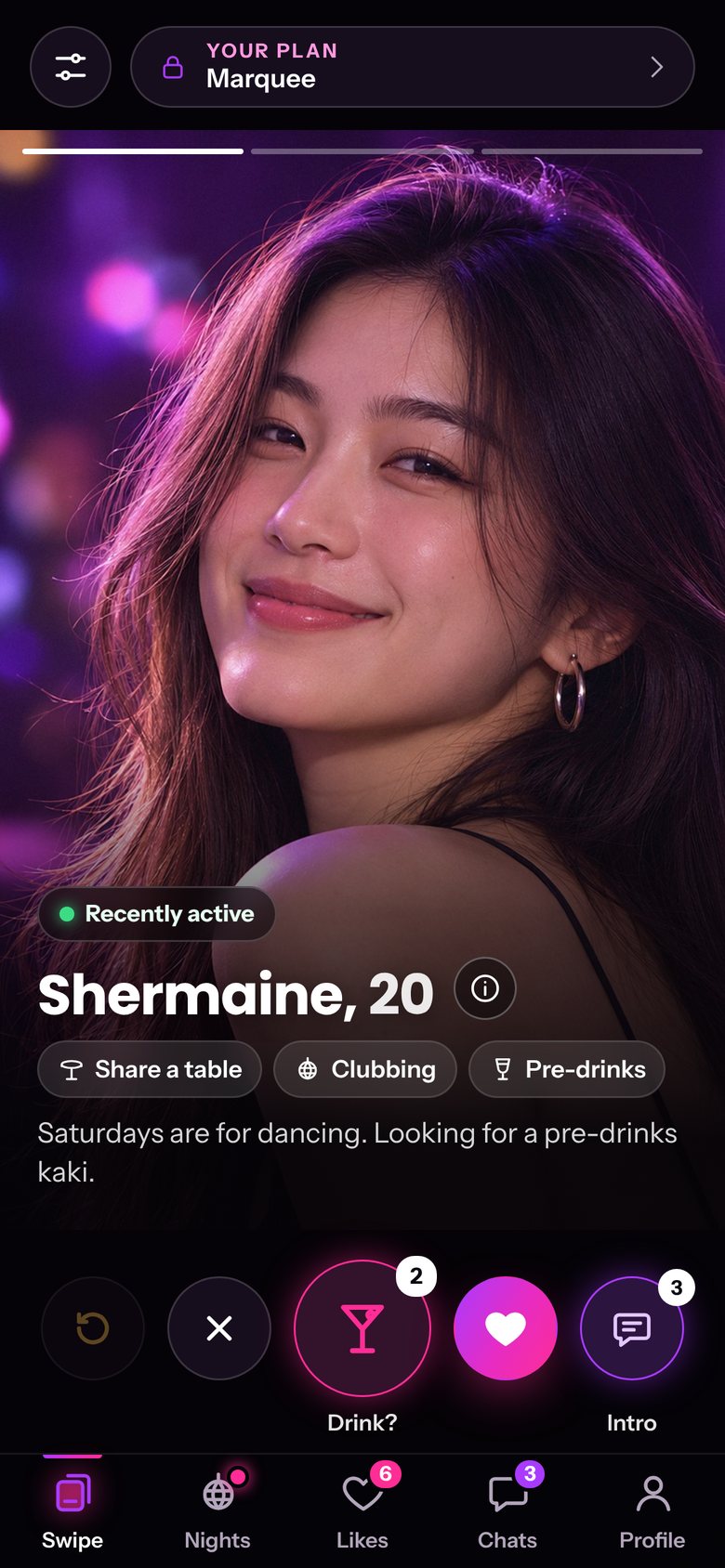
Swipe
People with the same plan show up first. You get a limited number of likes each night, so every like counts. Likes refill at 6am.
Step 5
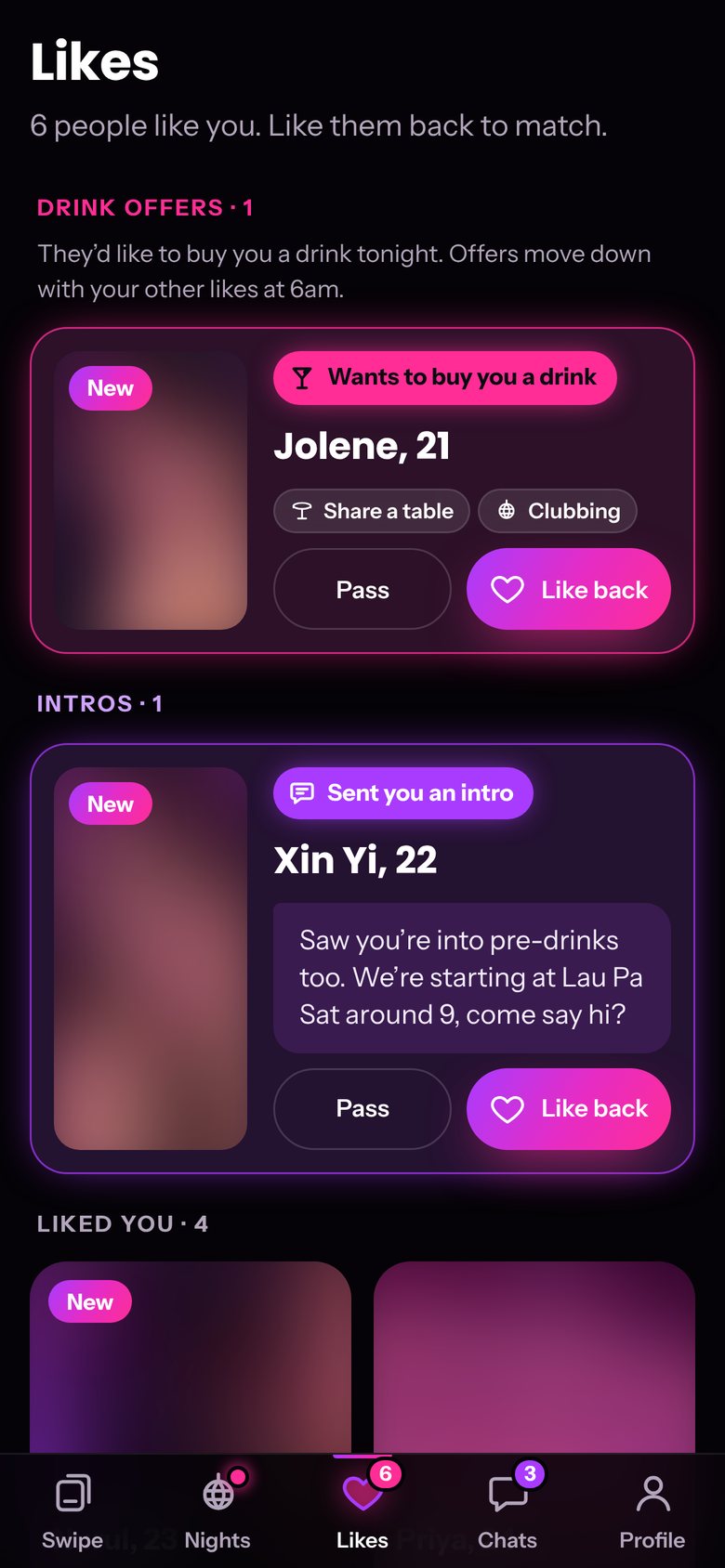
Stand out
Offer to buy someone a drink, or send a short intro with your like. They see it straight away in Likes.
Step 6
Match and meet
When you both like each other, you’ll see if you’re going to the same place, with a couple of openers to start the chat.
No app store needed.
Open clubR on your phone and add it to your home screen. It opens like any other app.